Higgsfield × Seedance 2.5
用 3 张自拍
做舞台感视频
5 个步骤:准备正面、左侧、右侧自拍,做一支 25 秒、9:16 的 K-pop-inspired 舞台表演视频。
请只使用你自己或已获授权的人像;生成结果需要人工检查后才决定是否发布。
全流程
跟着做,不需要懂剪辑
01准备自拍
02打开 Video
03上传照片
04贴 Prompt
05选 25 秒并生成
额度提醒:点击 Generate 会使用 Higgsfield 帐号额度。可选模型、价格与生成时间以你自己的帐号画面为准。
1
先拍 3 张参考自拍
这是最重要的输入。按 Word 教程准备:正面、左侧、右侧,每张都要看清楚脸。
- 正面:直接看镜头,脸完整入镜。
- 左侧:脸稍微转向左边,仍看清五官。
- 右侧:脸稍微转向右边,仍看清五官。
- 在明亮自然光下拍,不开美颜或强滤镜。
这就是参考照片例子:清楚的脸、自然光、没有遮挡。你不需要穿得一样,重点是角度和清晰度。
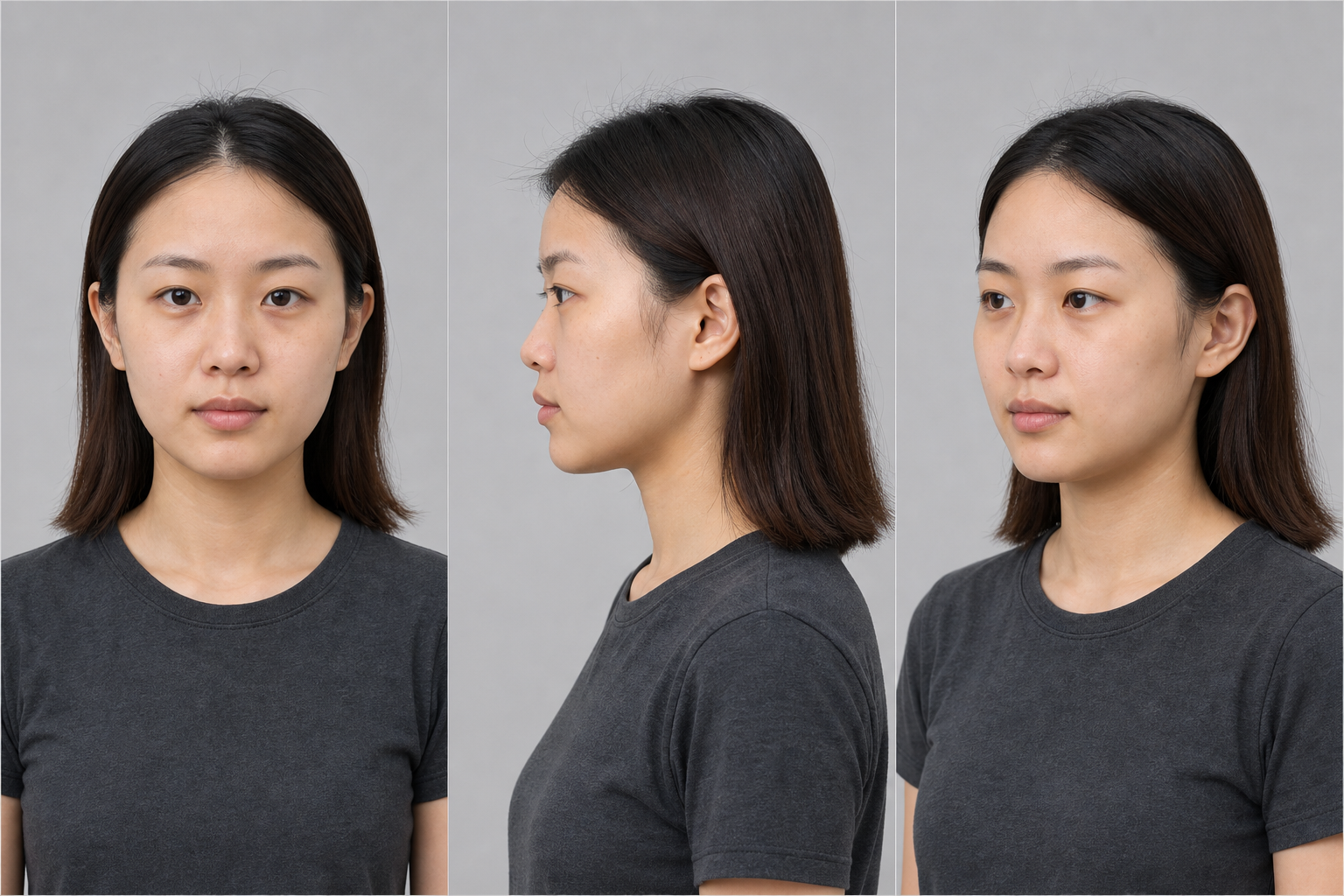
合成教学示例 · 非真实人物、非 Jenny 身份参考
2
先注册 Higgsfield,再选 Seedance 2.5
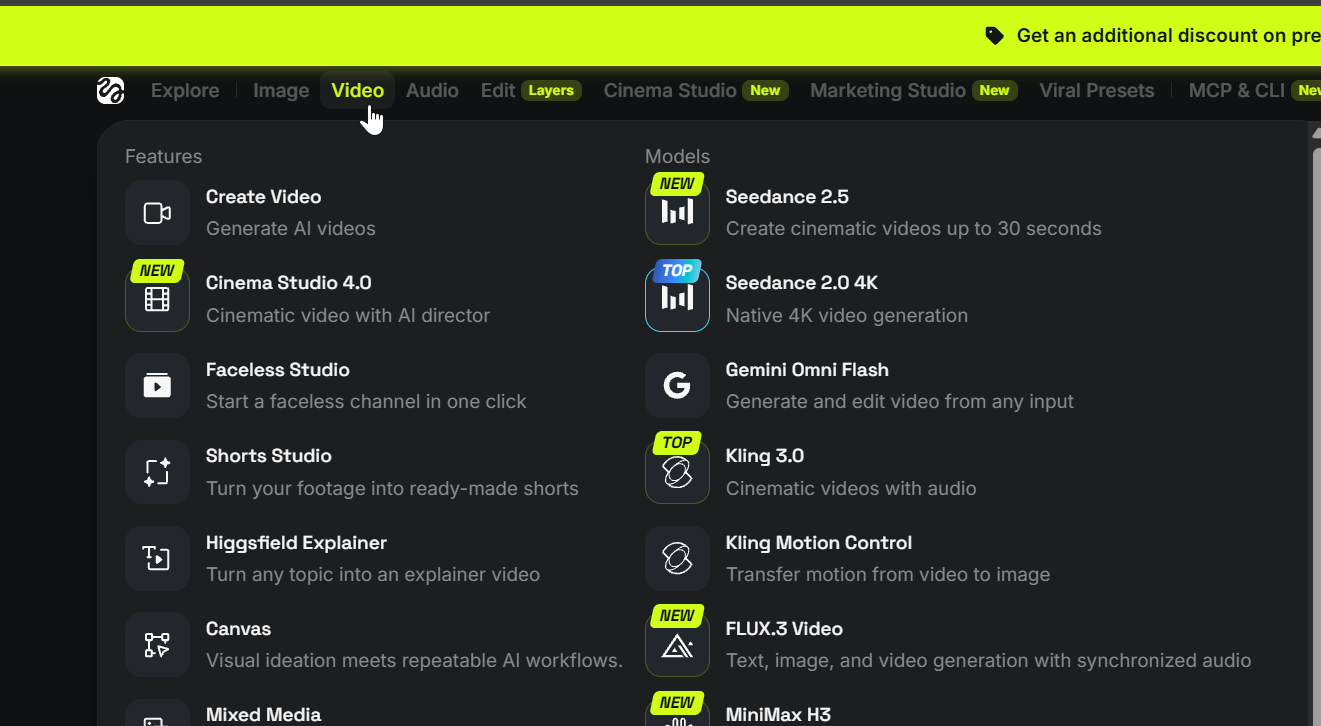
还没有帐号?先到 Higgsfield 注册帐号 ↗,完成登录后,顶部点 Video,再进入 Create Video。
- 打开左边的模型选择器。
- 选择 Seedance 2.5。
- 看到生成面板后,先不用调一堆效果。
菜单位置会变:找不到时,记住目标是进入 Video / Create Video,然后在模型列表选 Seedance 2.5。
3
上传这 3 张参考自拍
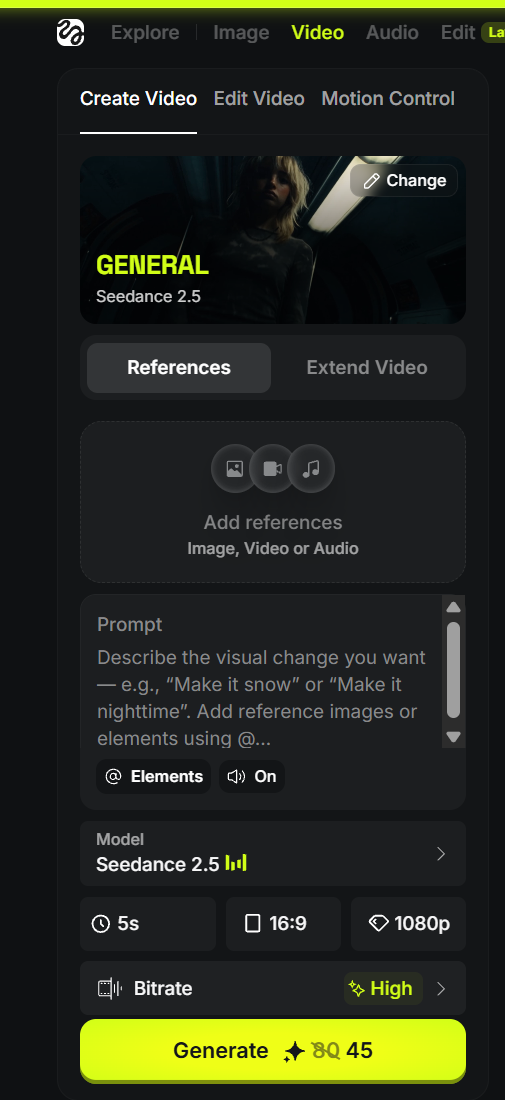
在 References 区域点 Add references,把刚才的正面、左侧、右侧照片都上传。
- 点 Add references。
- 依次上传正面、左侧、右侧 3 张。
- 确认每个缩略图都是你的照片。
肖像权:不要上传未获同意的人像、艺人照片或他人的私密照片。
4
贴上完整导演 Prompt
复制整段到 Prompt 栏,把 [YOUR NAME] 换成你的名字。它包含完整的 25 秒分镜、真实演唱会灯光和 fan-cam 规则;已上传的照片是唯一身份参考。
[YOUR NAME] — K-POP-INSPIRED LIVE STAGE PERFORMANCE

Create a strictly 25-second, 9:16 vertical video of [YOUR NAME] performing an original pop song on a real indoor concert stage. Use the uploaded reference images as the absolute identity authority: retain the same face, eyes, nose, lips, jawline, skin tone, body proportions and hair identity throughout every shot. Do not turn them into a generic idol face.

TARGET FEEL
This must look like a real live performance clip found on a vertical fan-cam or concert page, not an AI music video, fantasy CGI stage, beauty commercial, Unreal Engine scene, or plastic AI dancer. Prioritize real performance, fan-cam believability and live-concert imperfection over perfect beauty.

IDENTITY + PERFORMANCE REALISM
Keep natural pores, subtle under-eye texture, individual hair strands, realistic eye moisture, natural lip texture and slight stage sweat. [YOUR NAME] is truly singing, holding a microphone correctly, breathing between movements and doing believable, elegant choreography. Feet stay planted correctly; no floating, sliding, robotic arm movements or distorted hands.

STYLING + ENVIRONMENT
Give [YOUR NAME] a tasteful, professionally wearable black, silver and white performance outfit with stage boots and subtle reflective fabric. Real indoor concert: LED wall with abstract non-readable visuals, stage risers, moving spotlights, side lights, haze only for beams, real crowd depth, audience phones and lightsticks. Include a dark audience area with visible people; never an empty stage or black void.

LIGHTING + CAMERA
Lighting behaves like a live concert: moving beams, LED glow, natural lens flare, occasional clipped highlights, exposure pumping and small white-balance shifts. Mix vertical audience phone fan-cam, front stage camera and side-stage operator coverage. Use handheld shake, minor autofocus adjustment, imperfect reframing and natural motion blur. Never use drones, impossible orbits, floating cameras, glossy gimbal moves, AI morphs, dissolves or magical transitions.

SHOT 1 — 0:00–0:04 — CROWD FANCAM REVEAL
Start below stage level from a vertical audience phone camera. People cheer; a few phones frame the foreground. Stage light flares and briefly overexposes. The camera lifts shakily to find [YOUR NAME] hitting a strong opening pose, then beginning the first vocal line. End as they turn toward the crowd and step into the performance. Hard cut on beat.

SHOT 2 — 0:04–0:08 — FRONT PERFORMANCE
Cleaner live-looking mid shot. [YOUR NAME] sings while stepping forward, performs one recognizable chorus-style hand move, and handles the mic correctly. Lighting shifts from cool magenta/blue to white/silver. Preserve real skin, moving backlights, lens flare and sweat glow. End on a small turn and natural hair movement. Hard cut.

SHOT 3 — 0:08–0:13 — SIDE-STAGE DANCE
Side or three-quarter operator shot. [YOUR NAME] performs a stronger but physically believable dance section while singing a short phrase. Track slightly with the movement; crowd reacts below stage. Strong backlight, visible beams in haze and slight operator shake. They glance to the audience and smile naturally, then turn into the chorus peak. Hard cut.

SHOT 4 — 0:13–0:19 — CHORUS PEAK
The biggest replay moment: dramatic front or slightly low-angle concert shot. [YOUR NAME] sings the hook, steps forward and performs the signature chorus move. Crowd is louder; lights brighten; LED remains abstract with no readable text. Show subtle breath, natural mouth shapes, hair bounce, costume movement and correctly planted boots. End with the mic lifting slightly toward the crowd. Hard cut.

SHOT 5 — 0:19–0:23 — EMOTIONAL CLOSE FANCAM
Return to a tighter audience-phone feeling with a slight zoom. [YOUR NAME] looks sweaty and radiant under stage lights, continues the vocal, connects to the crowd with a small wave or gesture, and smiles naturally. Keep mild phone compression, unstable framing, exposure breathing, and foreground heads or phones at the edge. Hard cut.

SHOT 6 — 0:23–0:25 — ICONIC ENDING
Short hero finish: [YOUR NAME] stands centre stage after the peak, takes a breath, lowers the mic, gives a confident final look or small ending pose as the crowd cheers, then CUT TO BLACK.

ORIGINAL AUDIO + STRICT NEGATIVE
Use original non-copyrighted pop-performance audio with crowd cheers, slight live-vocal feel and realistic breath. No real songs, artist likenesses, subtitles, generated text, logos, unreadable LED text, waxy skin, beauty filter, over-HDR, costume morphing, face drift, holograms, fantasy VFX, fake lip sync, empty stage, backup dancers unless consistently realistic, or CGI look.
生成前检查:先确认 3 张自拍已经上传,再贴完整 Prompt。首次结果也需要完整播放,检查脸、手脚、麦克风和画面文字。
5
选 25 秒,然后 Generate
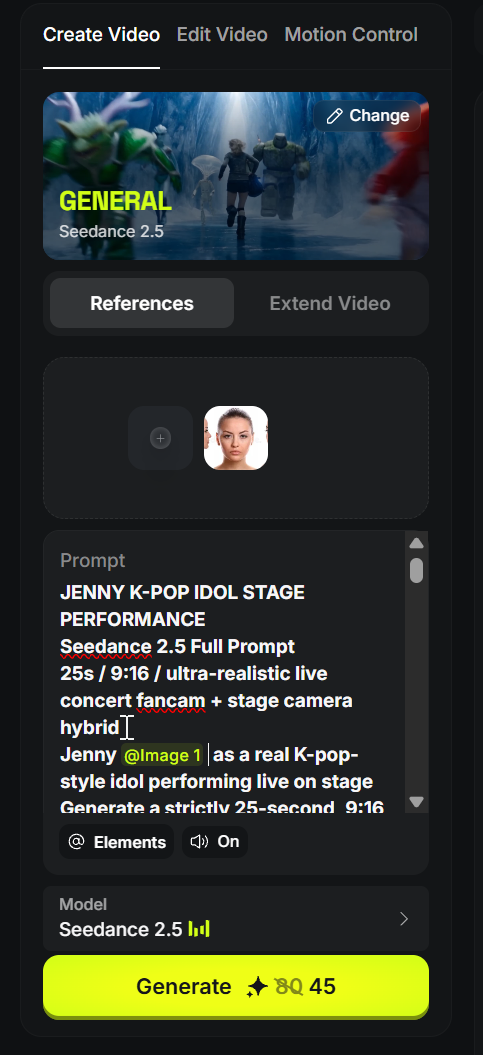
确认以下设置;如果帐号没有完全相同的选项,选择最接近的值。
ModelSeedance 2.5
Duration25s
Aspect ratio9:16 竖屏
Quality720p
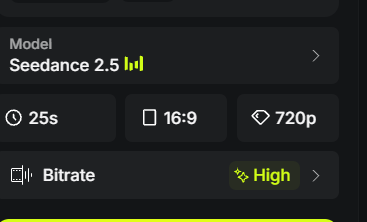
最后检查:确认 Reference、Prompt、25s、9:16 与 720p 都正确,再点 Generate。它会使用额度。
生成后
花 30 秒检查能不能用
不要因为第一支很酷就马上发布。至少完整播放一次,检查以下项目。
✓ 脸和身份
有没有突然变脸、过度磨皮或不自然的五官?
✓ 手、脚、麦克风
有没有变形、漂浮、穿模或错误的拿法?
✓ 舞台和文字
LED 背景有没有乱码、假 logo 或不适合发布的文字?
✓ 声音和权利
确认没有使用受版权保护的歌曲、品牌或人物。